Newsletter Segmentation
Advanced Email Segmentation Tool for Targeted Growth
Deliver personalized, highly relevant content every time with beehiiv. Maximize subscriber engagement and conversions with intuitive newsletter segmentation features that help you target the right audience based on behavior, preferences, and demographics.
Powering the World's Top Newsletters


Boost Engagement with Smarter Newsletter Targeting
Maximize the impact of every email with precise audience segmentation for email campaigns using beehiiv's advanced email segmentation tool.
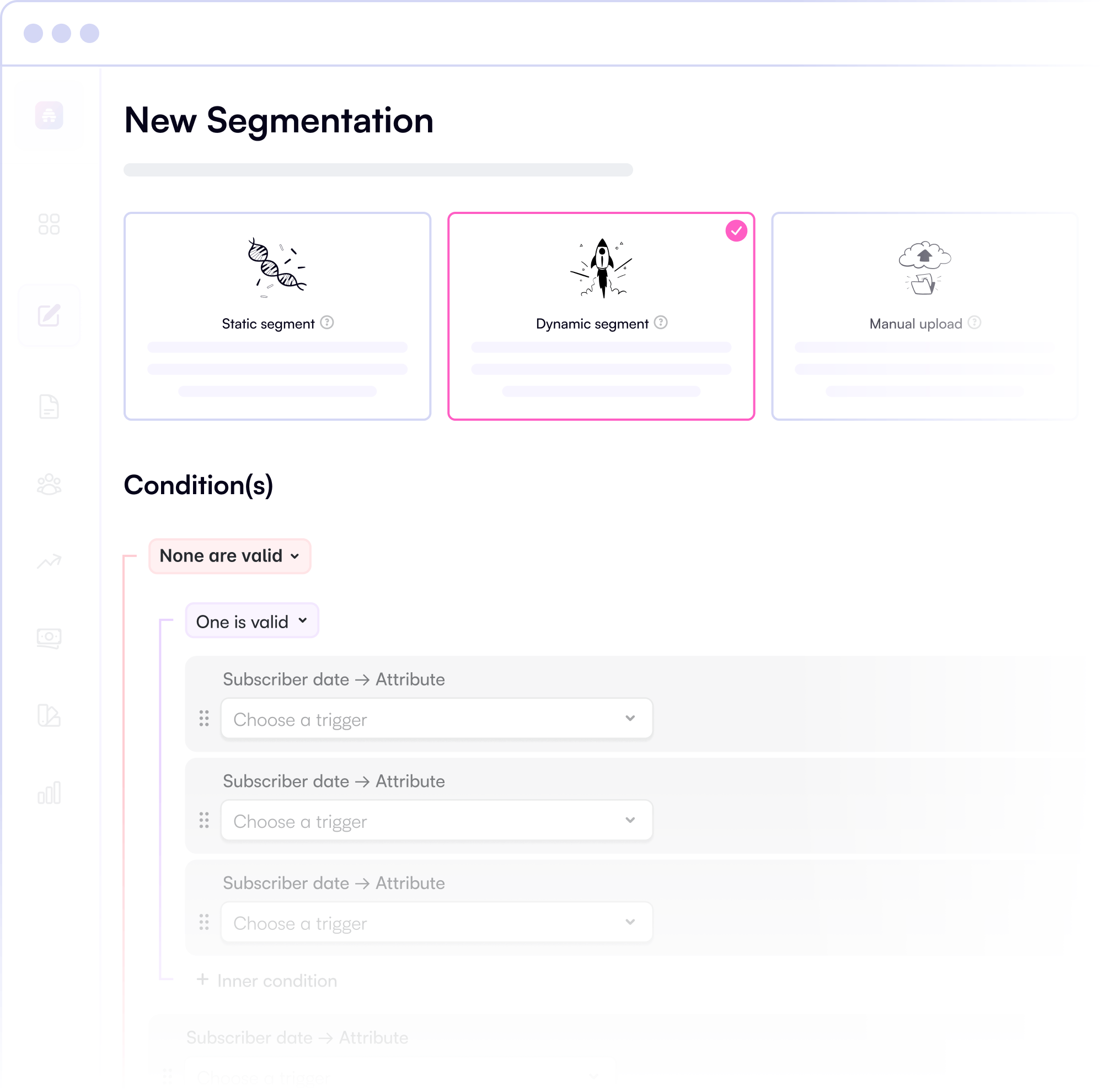
Dynamic and Responsive Lists
Automatically update subscriber lists based on real-time behavior and preferences with dynamic newsletter segmentation.
Static Lists for Fixed Audiences
Capture a snapshot of your audience at a specific moment for precise targeting and consistent messaging.
Manual Segments for Custom Lists
Upload or import your own subscriber lists for complete control over targeting.
Better Data, Better Decisions
Use segment-specific analytics for audience analysis and segmentation to refine your targeting and improve engagement.
Boost Campaign Performance
Increase open and conversion rates with highly personalized messaging.
Seamless Integration with Workflows
Apply segments to automations and A/B tests for even more powerful marketing.
Start Growing Your Publication Today
Sign up now and put segmentation to work for your newsletter.

“The beehiiv segmentation feature is really helpful… we can measure the quality of subscribers. It allows for better engagement – we can target those who have opened a hundred newsletters and reach out and thank them.”
Justin Schnell
Senior Manager, Editorial Operations @ Overtime
See Segmentation in Action
Effortlessly group your subscribers using our email segmentation tool based on behavior, engagement, and demographics.
Create dynamic lists with newsletter segmentation that update automatically as subscriber data changes.
Enhance your campaigns with audience segmentation for email campaigns by including or excluding specific segments.
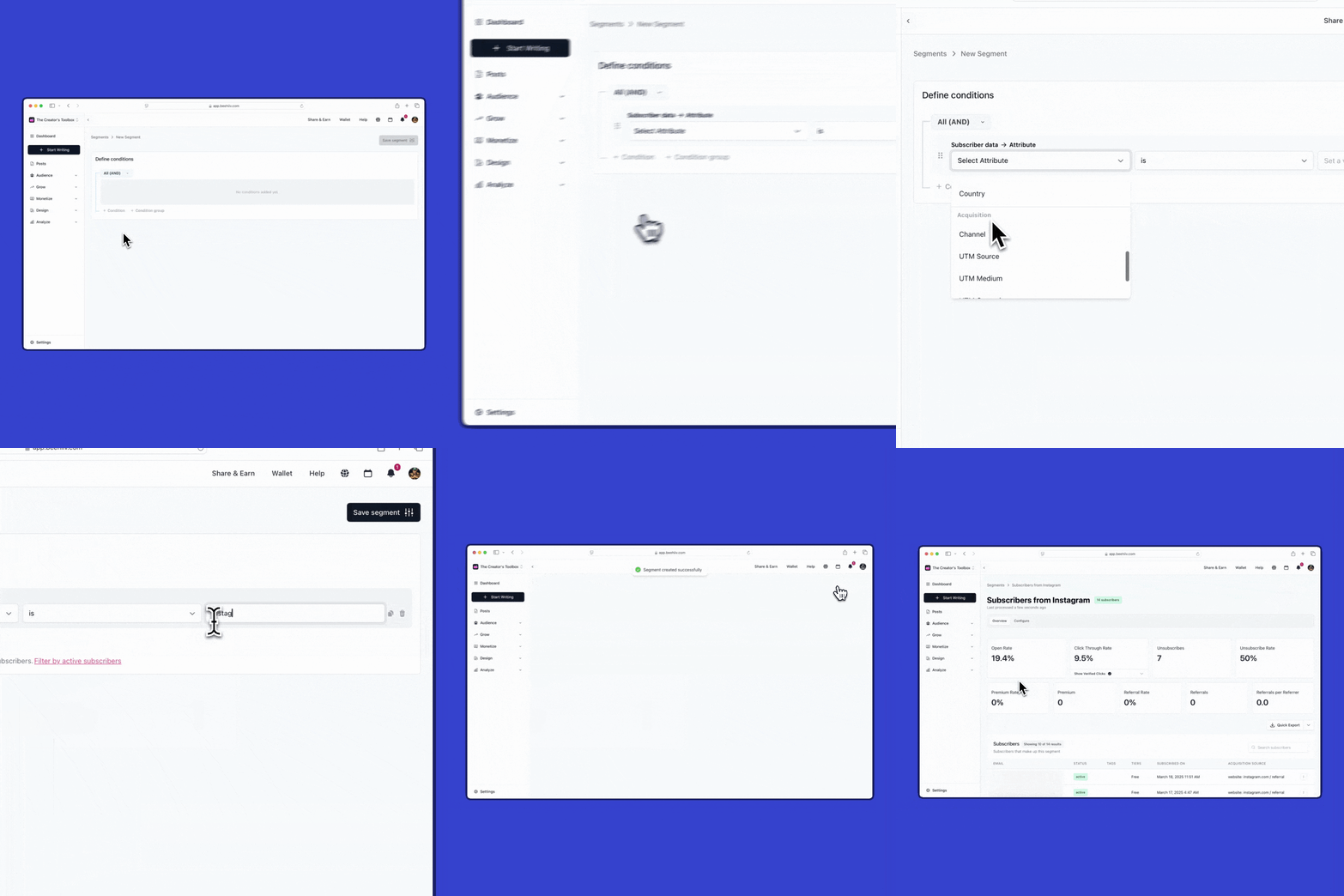
How beehiiv’s Email Segmentation Works
Easily create and manage audience segments with our intuitive workflow.
The Power of Personalization
Unlock deeper engagement with smarter segmentation strategies.
Email Segmentation Types beehiiv Offers
Beehiiv's email segmentation tool offers flexible segmentation types to match your targeting needs.
Dynamic Segments
Automatically update in real-time based on subscriber behavior, engagement, and profile changes. Perfect for ongoing campaigns.
Static Segments
Capture a fixed snapshot of subscribers at a specific moment. Ideal for one-time campaigns or historical comparisons.
Manual Segments
Upload custom lists or import specific subscriber groups for complete control over your newsletter segmentation strategy.
Segmentation Conditions
Target subscribers using powerful conditions: acquisition sources (where they signed up), subscriber tags (custom labels), subscriber tiers (free vs. paid), sign-up dates (new vs. veteran readers), custom fields (personalized data points), and location/geography (regional targeting). These conditions enable precise audience analysis and segmentation.
Integrations That Enhance Your Email Segmentation
Connect beehiiv's email segmentation tool with your favorite platforms to enrich subscriber data and create more targeted newsletter segmentation strategies.

Effortlessly connect with Facebook, Instagram, Google Analytics, Typeform, and more.
Enhance your workflow with audience segmentation for email campaigns and newsletter segmentation.
Sync your subscribers with CRM and marketing platforms for audience analysis and segmentation.
RESOURCES TO HELP YOU SUCCEED
Frequently Asked Questions
What is an email segmentation tool?
An email segmentation tool allows you to divide your email list into smaller groups based on specific criteria such as behavior, engagement, demographics, or preferences. Beehiiv's email segmentation tool enables more targeted and personalized newsletter campaigns.
Why is newsletter segmentation important?
Newsletter segmentation is crucial because it helps increase engagement and conversion rates by ensuring that the right message reaches the right audience at the right time through precise audience segmentation for email campaigns.
How do I create segments in beehiiv?
To create segments in beehiiv, follow these steps:
- Step 1: Select your criteria from options like engagement level, location, etc.
- Step 2: Choose your segment type (dynamic, static, or manual).
- Step 3: Save and apply the segment to your campaigns.
- Step 4: Analyze performance using segment-specific analytics.
What types of segments can I create?
- You can create dynamic, static, and manual segments:
- Dynamic Segments: Automatically update based on real-time subscriber behavior.
- Static Segments: Capture a snapshot of your audience at a specific moment.
- Manual Segments: Allow you to upload or import custom lists.
How do dynamic segments update?
Dynamic segments update automatically as subscriber data changes, ensuring your lists reflect real-time behavior and preferences.
Can I use segmentation with automations and A/B tests?
Yes, beehiiv allows you to integrate segments seamlessly with automations and A/B tests, enhancing your marketing workflows with powerful newsletter segmentation capabilities.
How does segmentation improve campaign performance?
Segmentation boosts campaign performance by allowing you to send highly personalized messages to specific groups, increasing open and conversion rates.
Can I track engagement by segment?
Yes, beehiiv provides analytics that allow you to track engagement by segment, helping you refine your targeting and improve overall campaign effectiveness.
How does segmentation enhance personalization?
Segmentation enhances personalization by enabling you to tailor your content to specific audience groups based on their unique characteristics or behaviors.
What are the benefits of using static segments?
Static segments are beneficial for capturing a snapshot of your audience at a specific moment, allowing for precise targeting without the need for real-time updates.
How does manual segmentation help with custom lists?
Manual segmentation allows you to upload or import custom lists, giving you complete control over who receives your campaigns and ensuring that your messaging aligns with specific audience needs.
Can I use segmentation to measure subscriber quality?
Yes, the email segmentation tool can help measure subscriber quality through audience analysis and segmentation, allowing you to target and engage with subscribers based on their level of engagement or other criteria.
